
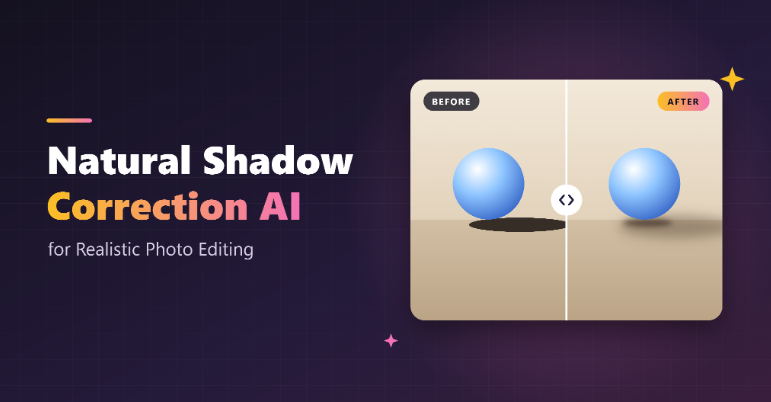
Natural Shadow Correction AI is changing how photographers and content creators improve image lighting. It helps remove harsh shadows, balance brightness, and preserve realistic details without complicated manual editing. Whether you are editing product photos, portraits, or social media visuals, this technology makes the process faster and easier.
Modern AI photo editing tools analyze dark areas and adjust lighting while maintaining natural colors and textures. With features like automatic shadow removal, selective lighting correction, and image enhancement, users can create professional-looking photographs with minimal effort. It is an effective solution for achieving realistic photo editing and improving overall image quality.
What Is Natural Shadow Correction AI?
Natural Shadow Correction AI is an image-editing technology that uses artificial intelligence to detect and adjust shadows in digital photographs. It improves dark areas while maintaining the original appearance, texture, and depth of the image.
Traditional editing often requires manual adjustments to brightness, contrast, exposure, and highlights. AI-powered editing tools automate much of this process. They examine different parts of an image and determine which shadows need correction.
For example, imagine photographing a white coffee mug near a window. The mug looks attractive, but a dark shadow covers one side. An AI editor can brighten the affected area while preserving the natural lighting direction.
The goal is not to eliminate every shadow. Instead, it creates balanced illumination that makes the photograph look professionally captured.
How Does Natural Shadow Correction AI Work?
AI shadow correction combines computer vision, image recognition, and intelligent lighting adjustments. These technologies help editing software understand the relationship between objects, backgrounds, and light sources.
- Image Recognition and Shadow Detection
The process begins when the software scans an uploaded photograph. Its image recognition system identifies objects, backgrounds, edges, and darker regions.
The technology distinguishes between natural shadows and other dark details. For example, it can recognize that a shadow beneath a product differs from a dark-colored design printed on its surface.
Accurate detection helps prevent unwanted changes to important image elements.
- Lighting and Brightness Analysis
After detecting shadows, the AI analyzes the photograph's lighting conditions. It examines brightness levels, contrast, color temperature, and surrounding illumination.
This analysis helps determine how much correction each area requires. A slightly dark region may need minimal adjustment, while a heavily shadowed section may require stronger enhancement.
The objective is to maintain consistent lighting throughout the photograph.
- Intelligent Shadow Adjustment
Once the analysis finishes, the software applies localized corrections. It brightens selected regions, balances contrast, and adjusts surrounding tones.
Advanced systems may also reconstruct missing visual information using nearby textures and image patterns.
This process helps preserve important details instead of producing flat, overly bright photographs.
- Final Image Enhancement
The final stage combines shadow correction with additional image improvements. Depending on the software, users may receive better exposure, improved color balance, and enhanced visual clarity.
Some tools also provide manual controls for adjusting correction strength.
These options allow photographers to maintain creative control over the final result.
Why Are Natural Shadows Important in Photography?
Shadows are an essential part of professional photography. They create depth, reveal object shapes, and help viewers understand the position of different elements.
Removing every shadow can make photographs look unrealistic. Products may appear to float, faces may lose definition, and backgrounds may become visually flat.
Natural shadows provide several important benefits.
- Creating Realistic Depth
Shadows help communicate distance and dimension. A product photographed against a white background looks more believable when a subtle shadow appears underneath it.
Without this detail, the object may seem disconnected from its surroundings.
- Improving Object Definition
Soft shadows reveal the shape and structure of objects. They help distinguish different surfaces, curves, and edges.
This is particularly important when photographing furniture, electronics, clothing, and decorative products.
- Maintaining Visual Balance
Well-controlled shadows create balance between bright and dark areas. They guide the viewer's attention toward the main subject without making the image appear excessively edited.
Natural Shadow Correction AI helps maintain this balance while improving visibility.
Key Features of AI-Powered Shadow Correction Tools
Modern AI photo editors offer several features that make lighting correction easier. However, available capabilities differ between platforms.
- Automatic Shadow Detection
Automatic detection identifies dark regions without requiring users to select every affected area manually.
This feature saves time when editing large collections of product photographs.
- Selective Shadow Removal
Selective correction targets specific shadowed areas while protecting other image details.
For example, you can brighten a shadow covering a product label without changing the entire background.
- Soft Shadow Preservation
Some photographs benefit from keeping their original shadows. Soft shadow preservation reduces excessive darkness while maintaining realistic depth.
This feature is useful for portraits, lifestyle photography, and commercial product images.
- Background Lighting Correction
Uneven backgrounds can make otherwise attractive photographs look inconsistent.
AI editing tools can improve background brightness and reduce distracting dark patches. This creates a cleaner appearance for websites, catalogs, and promotional materials.
- Color and Exposure Balancing
Shadow correction sometimes changes the appearance of surrounding colors.
Advanced editing tools help maintain natural color relationships by adjusting exposure, contrast, and brightness together.
This prevents corrected areas from looking noticeably different from the rest of the photograph.
How to Use Natural Shadow Correction AI Online
Online AI photo editors make shadow correction accessible without installing complicated desktop software.
Although individual interfaces differ, most tools follow a similar workflow.
Step 1: Upload Your Photograph
Choose a clear image from your computer or mobile device. Product photographs, portraits, lifestyle images, and social media graphics are common examples.
For better results, start with an original image that contains sufficient detail.
Step 2: Select the Shadow Correction Feature
Open the AI editing section and look for options such as shadow removal, lighting correction, or shadow adjustment.
Some platforms provide automatic correction, while others offer selective editing.
Step 3: Analyze the Image
Allow the software to examine the photograph. The AI identifies darker regions and evaluates the surrounding lighting conditions.
Processing time depends on image resolution, software performance, and available features.
Step 4: Adjust the Correction Strength
Review the automatically edited result. If the shadows remain too dark, increase the correction slightly.
Avoid excessive brightness because it can remove important details and make the photograph look artificial.
Step 5: Compare Before and After Results
Use the comparison feature, if available, to evaluate the original and corrected photographs.
Check object edges, background consistency, natural colors, and surface details.
Step 6: Download the Final Image
Once satisfied, export the corrected photograph in your preferred format.
For websites, choose an appropriate balance between image quality and file size. Always check the export resolution before publishing.
Natural Shadow Correction AI for Product Photography
Product photography is one of the most useful applications of AI shadow correction.
Online shoppers depend heavily on photographs when evaluating products. Poor lighting can make an attractive item look damaged, low-quality, or different from its actual appearance.
A well-balanced product photograph builds confidence and improves presentation.
- Improving E-Commerce Product Images
Product images frequently contain unwanted shadows caused by studio lights, windows, or nearby objects.
AI correction helps reduce distracting dark areas while preserving the product's original shape and color.
This is particularly useful for Shopify stores, Amazon sellers, and independent e-commerce businesses.
- Creating Consistent Product Catalogs
Online stores often display hundreds of products together. Different lighting conditions can make their photographs look inconsistent.
AI editing helps standardize brightness and shadow intensity across multiple images.
A consistent visual presentation makes product catalogs easier to browse.
- Preserving Product Details
Some products contain reflective surfaces, textured materials, or intricate designs.
Removing shadows incorrectly can damage these details. Selective correction helps improve visibility while protecting important visual characteristics.
For example, a photograph of a black handbag needs enough contrast to show its stitching, shape, and material.
Applications Across Different Industries
Natural shadow correction is not limited to commercial product photography. Different industries use AI lighting tools to improve their visual content.
1. Fashion and Clothing Photography
Fashion photographs require balanced lighting to display fabric textures, stitching, and clothing colors accurately.
AI correction can reduce distracting shadows around garments without removing the natural folds that give clothing its shape.
This makes photographs more suitable for online fashion stores and advertising campaigns.
2. Real Estate Photography
Interior photographs often contain dark corners, uneven window lighting, and unwanted shadows.
AI editing can improve visibility in these areas. It helps potential buyers understand room layouts and interior details.
However, editors should avoid changing architectural features or misrepresenting the property's actual condition.
3. Portrait Photography
Portrait photographs sometimes contain harsh facial shadows caused by direct sunlight or poorly positioned lights.
AI correction can soften excessive darkness while maintaining facial structure and natural skin texture.
The best results preserve the original appearance rather than making every part of the face equally bright.
4. Social Media Content
Creators regularly publish photographs on Instagram, Facebook, Pinterest, and other platforms.
Poor lighting can reduce the visual quality of otherwise engaging content.
AI shadow adjustment helps creators prepare cleaner images without spending hours on manual editing.
5. Food Photography
Food photographs depend on attractive lighting and visible texture.
Strong shadows can hide important details, particularly in dishes with dark ingredients or complex arrangements.
Balanced lighting helps food appear more appealing while preserving realistic colors and textures.
AI Shadow Correction vs. Traditional Photo Editing
Both AI-powered correction and traditional editing can improve photographs. However, their workflows differ significantly.
AI editing is convenient for routine corrections and large image collections.
Traditional editing remains valuable when photographs require detailed retouching, advanced masking, or precise lighting adjustments.
For professional workflows, combining both methods often produces the strongest results.
Benefits of Using Natural Shadow Correction AI
AI-based shadow correction offers practical advantages for photographers, businesses, and digital creators.
- Saves Editing Time
Manual shadow correction can involve multiple layers, masks, and adjustment settings.
AI automates much of this process. Users can improve several photographs without repeating every editing step manually.
- Makes Editing More Accessible
Professional photo editing software can be difficult for beginners.
Online AI tools simplify the process through automatic features and straightforward interfaces.
Even users with limited editing experience can achieve useful lighting improvements.
- Improves Image Presentation
Balanced lighting makes products and subjects easier to understand.
Reducing distracting shadows can create cleaner photographs for websites, advertisements, and digital catalogs.
- Supports Business Productivity
E-commerce businesses regularly process large numbers of product photographs.
Automated editing can reduce repetitive work and help teams maintain consistent image quality.
- Reduces Dependence on Complex Software
Many browser-based tools provide basic shadow correction without requiring advanced desktop applications.
This makes everyday editing more convenient for freelancers, small businesses, and independent creators.
Common Mistakes to Avoid During Shadow Correction
AI editing does not guarantee perfect results. Poor settings or unsuitable images can still produce noticeable problems.
Understanding common mistakes helps you maintain realistic photographs.
- Removing Every Shadow
Eliminating all shadows removes important depth information.
Products may appear to float, while portraits can lose their natural structure.
Keep subtle shadows whenever they contribute to the photograph's realism.
- Increasing Brightness Too Much
Excessive brightness can wash out highlights and reduce texture visibility.
This problem is especially noticeable in white products, reflective objects, and light-colored backgrounds.
Make smaller adjustments and inspect the result carefully.
- Ignoring Original Colors
Shadow correction can sometimes change nearby color tones.
Always compare corrected areas with the original photograph. Products should retain accurate colors, particularly when images represent items customers intend to purchase.
- Overlooking Object Edges
Aggressive AI correction may create halos around objects or unnatural transitions between light and dark areas.
Zoom into important edges before exporting the final image.
- Using Low-Quality Source Images
Low-resolution photographs contain limited visual information.
AI software cannot always reconstruct missing details accurately. Start with a high-quality original whenever possible.
Tips for Getting Realistic AI Shadow Correction Results
The quality of your final image depends on both the source photograph and the correction settings.
Follow these practical techniques to achieve more natural results.
Start with balanced exposure. Avoid photographs that are extremely dark or heavily overexposed. Better source lighting gives AI more useful information.
Use selective adjustments. Correct only the areas that need improvement instead of changing the entire photograph.
Preserve natural contrast. Keep enough difference between highlights and shadows to maintain depth and dimension.
Check skin and product colors. Make sure the correction does not introduce unnatural color changes.
Review the background. Look for uneven brightness, visible editing marks, and unwanted gradients.
Compare different correction levels. Small adjustments often produce more believable results than aggressive editing.
Export at the correct resolution. Choose image dimensions suitable for your website, marketplace, or social media platform.
These techniques help create photographs that look naturally illuminated rather than digitally manipulated.
Is Natural Shadow Correction AI Free?
Some online photo editors offer free shadow correction features. However, free access depends on the platform and its pricing structure.
Certain services provide basic automatic adjustments without payment. Others restrict high-resolution downloads, advanced features, or batch processing to premium subscriptions.
Before choosing a tool, review its export limitations and privacy policies.
Also check whether the platform adds watermarks or compresses edited photographs.
For occasional editing, a free version may be sufficient. Businesses handling professional product photography may benefit from paid tools with additional controls.
How to Choose the Best AI Shadow Correction Tool
Choosing the right software depends on your editing requirements and budget.
Not every AI photo editor provides the same level of shadow detection or correction quality.
Consider these important factors before selecting a platform.
- Accuracy of Shadow Detection
Choose software that identifies unwanted shadows without damaging object details.
Test it with different photographs before processing an entire collection.
- Natural-Looking Results
The corrected image should retain realistic depth, colors, and lighting.
Avoid tools that make photographs excessively bright or create artificial-looking surfaces.
- Editing Controls
Look for adjustable correction strength, selective editing, brightness controls, and before-and-after comparisons.
These features provide greater flexibility than automatic correction alone.
- Image Quality and Export Options
Check supported formats, resolution limits, and compression settings.
Professional users should prioritize tools that preserve image quality during export.
- Privacy and Security
Review how the service handles uploaded photographs.
This matters when editing private portraits, customer images, business assets, or unreleased product photographs.
Limitations of AI Shadow Correction Technology
Despite its advantages, AI shadow correction has limitations.
The technology depends on the information available in the original photograph. Extremely dark regions may contain very little recoverable detail.
In such situations, brightening the area can reveal noise, color distortion, or artificial textures.
Complex lighting can also confuse automated systems. Multiple light sources, reflective surfaces, and overlapping objects may produce inaccurate corrections.
Another limitation involves creative interpretation. An AI tool may not understand whether a dark region is intentional or unwanted.
For this reason, human review remains important.
Professional photographers should treat AI as an editing assistant rather than a complete replacement for photographic judgment.
The Future of AI-Powered Shadow Correction
AI image editing continues to develop as computer vision and image-generation technologies improve.
Future editing tools may provide more accurate lighting analysis and better control over individual light sources.
Advanced systems could also offer improved scene understanding, allowing users to correct shadows while preserving the relationship between objects and their environments.
Real-time editing may become more accessible across mobile devices and browser-based applications.
For businesses, these developments could simplify large-scale image preparation and improve consistency across digital catalogs.
However, realistic editing will remain the most important objective. Better technology should improve photographs without making them misleading or artificial.
Frequently Asked Questions (FAQs)
What is natural shadow correction AI?
Natural shadow correction AI is technology that detects and adjusts unwanted shadows in photographs. It improves lighting while preserving natural depth, colors, and object details.
Can AI remove shadows without changing the background?
Yes. Some advanced editors support selective shadow correction. They can target specific regions while protecting surrounding background details. Results depend on image complexity and detection accuracy.
Is AI shadow correction suitable for product photography?
Yes. It helps improve product visibility, reduce harsh shadows, and create consistent lighting. E-commerce sellers can use it to prepare cleaner photographs for online catalogs.
Can I correct shadows in photos online for free?
Yes. Several browser-based editors offer free lighting and shadow correction features. However, download resolution, editing controls, and daily usage limits may vary.
Does AI shadow correction reduce image quality?
Not necessarily. High-quality tools can preserve image details during correction. However, aggressive adjustments or low-resolution exports may introduce noise, blur, or unwanted artifacts.
Can AI preserve natural shadows instead of removing them?
Yes. Some tools allow users to soften shadows rather than eliminate them. This helps maintain realistic depth and prevents objects from appearing disconnected from their surroundings.
Is AI shadow correction better than manual editing?
AI correction is generally faster for routine adjustments. Manual editing offers more precise creative control. Combining both approaches often produces better results for demanding photography projects.
Which photographs benefit most from AI shadow correction?
Product images, portraits, food photography, real estate interiors, and social media photographs can benefit significantly. The technology is particularly useful when unwanted shadows reduce visibility.
Conclusion
Natural Shadow Correction AI is making professional-looking photo editing more accessible. It helps photographers, e-commerce sellers, and content creators improve lighting without spending excessive time on manual adjustments.
Its biggest advantage is the ability to reduce unwanted darkness while preserving realistic details. However, successful editing requires balance. Removing every shadow or increasing brightness too much can damage the original photograph's appearance.
Choose an AI editor with accurate detection, adjustable controls, and high-quality exports. Start with a good source image and review every correction before publishing.
The best shadow correction does not make shadows disappear completely. It makes lighting look natural, balanced, and believable.